
Setup is where every firm starts in Seamlss. It lists what to set up before your first client and ticks each step off as you go.
In Seamlss: Setup, at the bottom of the left-hand menu.
Open Setup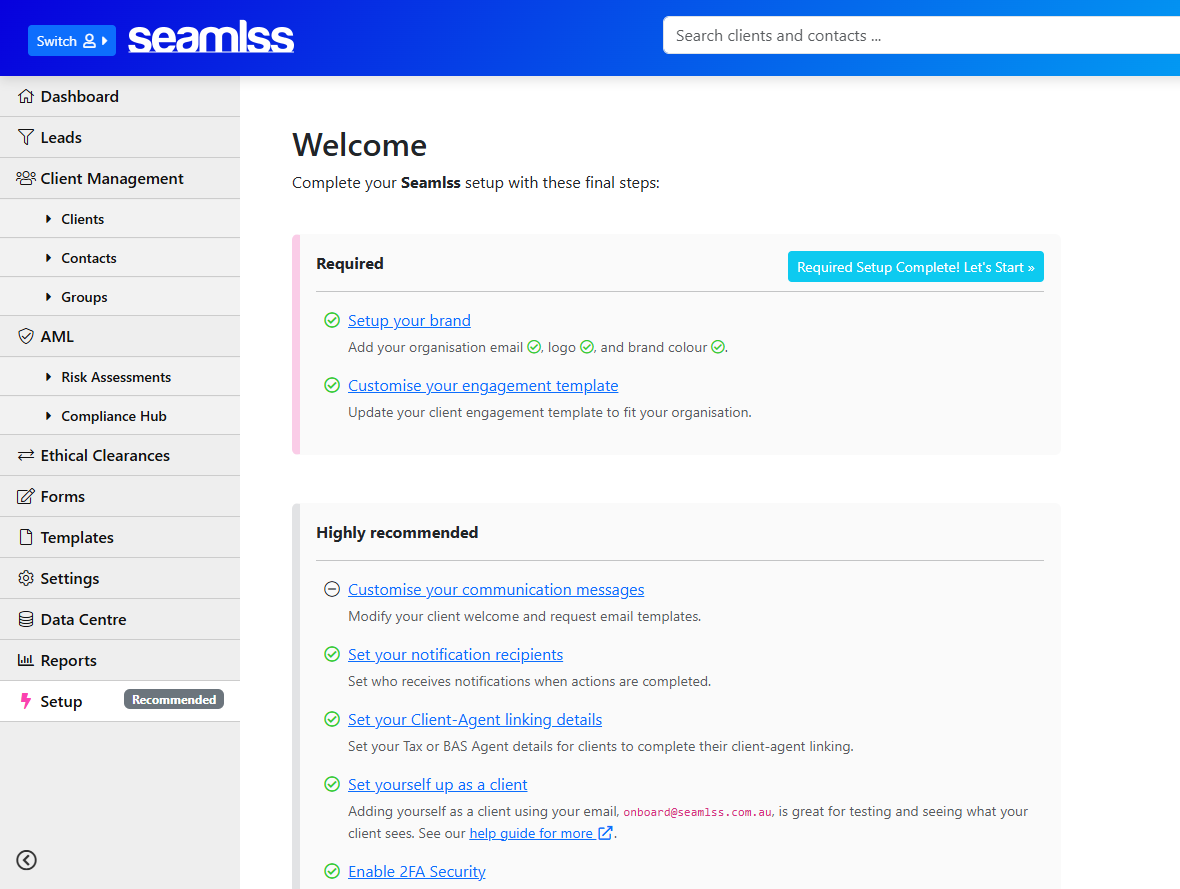
Do these two first #
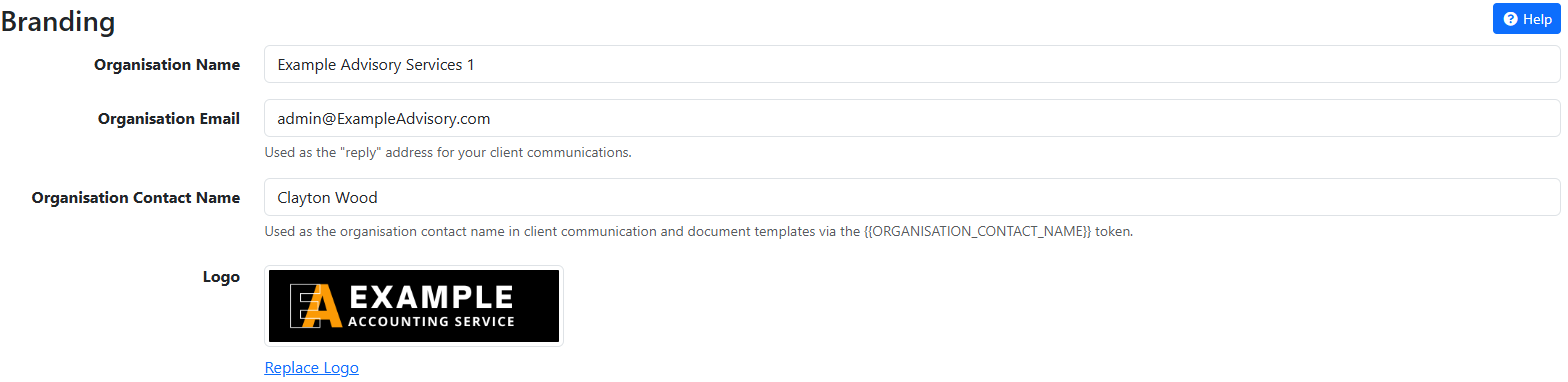
Set up your brand
Go to Settings, Branding and add your organisation email, logo and brand colour. The organisation email is the reply-to address on everything your clients receive. Logo sizes are in the Branding guide.
Customise your engagement template
Open Templates and replace the starter letter with your own. Paste your wording as plain text, because text copied straight from Word keeps hidden formatting that breaks the merge tokens. Creating engagement letter templates walks through it.
When both are done, Setup shows Required Setup Complete! Let’s Start.
Can I start before this? Yes. You can send requests before setup is done. Until it is, other pages show a reminder banner, and your clients see the default name, logo and letter instead of yours.
Then work through these #
Setup marks these as highly recommended.
Customise your communication messages
These are the welcome and request emails your clients receive. See Creating email templates.
Set your notification recipients
Go to Settings, Notifications and give each notification a recipient. A notification with no recipient reaches nobody, and nothing on screen tells you.
Set your client-agent linking details
Lets clients link your firm as their tax or BAS agent while they onboard. See ATO agent linking.
Set yourself up as a client
You see exactly what your clients see, before they do. See Add yourself as a client.
Turn on 2FA
Two-factor authentication on your own login, set from Settings, Users. The ATO requires it for anyone handling sensitive client data. Add firm users has the steps.
Something not working? #
“Required Setup Complete” doesn’t appear
One of the brand fields is still empty. Go to Settings, Branding and check the organisation email, logo and brand colour are all filled in.
Notifications aren’t arriving
Each notification needs a recipient. Go to Settings, Notifications and check the recipient field for that notification isn’t empty.
A colleague can’t join your firm
They registered their own Seamlss account instead of being added by you. Add them from Settings, Users. If Seamlss says their email is already in another organisation, contact support and we’ll move them across.
Still stuck? Contact support and tell us what you see.
Want a hand? #
Book a Setup Success Session
A 30-minute walkthrough of your setup with the Seamlss team. $330 inc GST.


