
Firm-wide switches that change what your staff and clients can do. Set them on purpose rather than leaving the defaults.
In Seamlss: Settings, General.
Open SettingsMain settings #
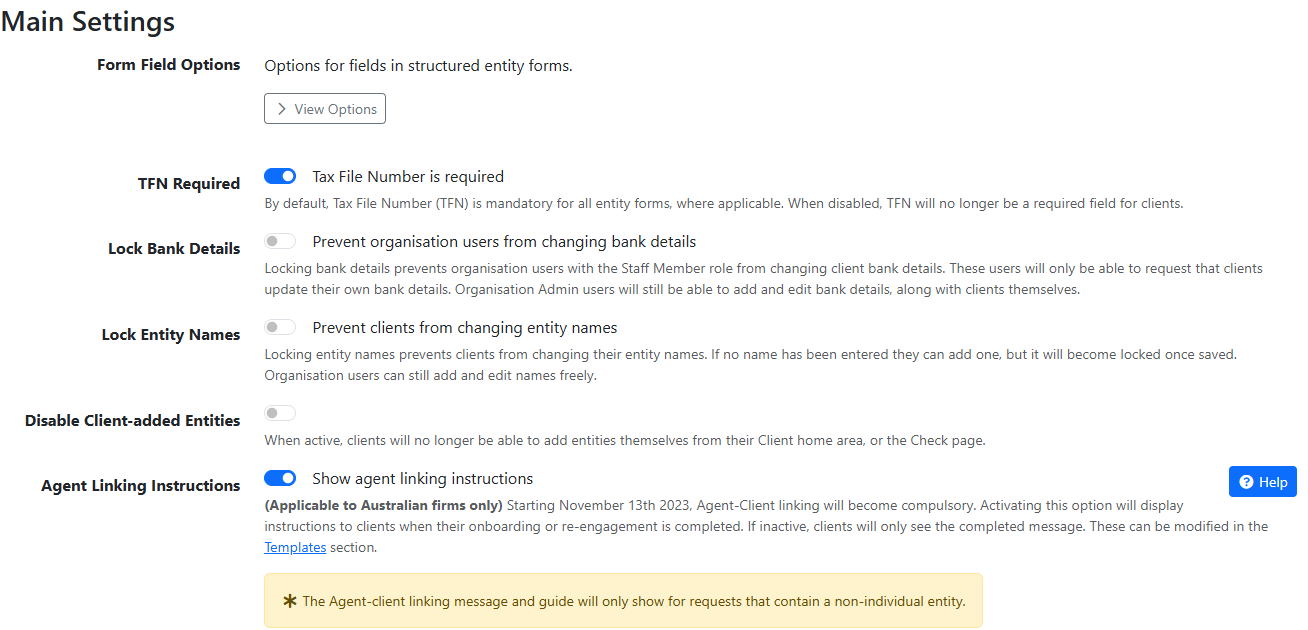
TFN Required. On by default, which makes Tax File Number a required field on entity forms. Off, it’s optional. To hide it completely, see Disable TFN below.
Lock Bank Details. Stops Staff Members changing client bank details. They can only ask the client to update them. Admins and clients can still edit them.
Worth turning on. Changed bank details are how payment redirection fraud works. A change the client made themselves is better evidence than one keyed in after a phone call.
Lock Entity Names. Stops clients changing entity names. A client can add a name that’s blank, but it locks once saved. Your staff can still edit names.
Disable Client-added Entities. Stops clients adding entities from their client area or the Check page. Leave it off if you want clients to tell you about structures you don’t know about.
Agent Linking Instructions. For Australian firms. On, clients see agent linking instructions when they finish onboarding or re-engagement. They only show for requests with a non-individual entity. Fill in your Tax or BAS agent type, number and name below it. See ATO agent linking.
Form Field Options #
The first item under Main Settings. Select View Options to choose which personal details clients must give before they can continue. Each field can be Required, left optional, or Disabled, which hides it from clients.
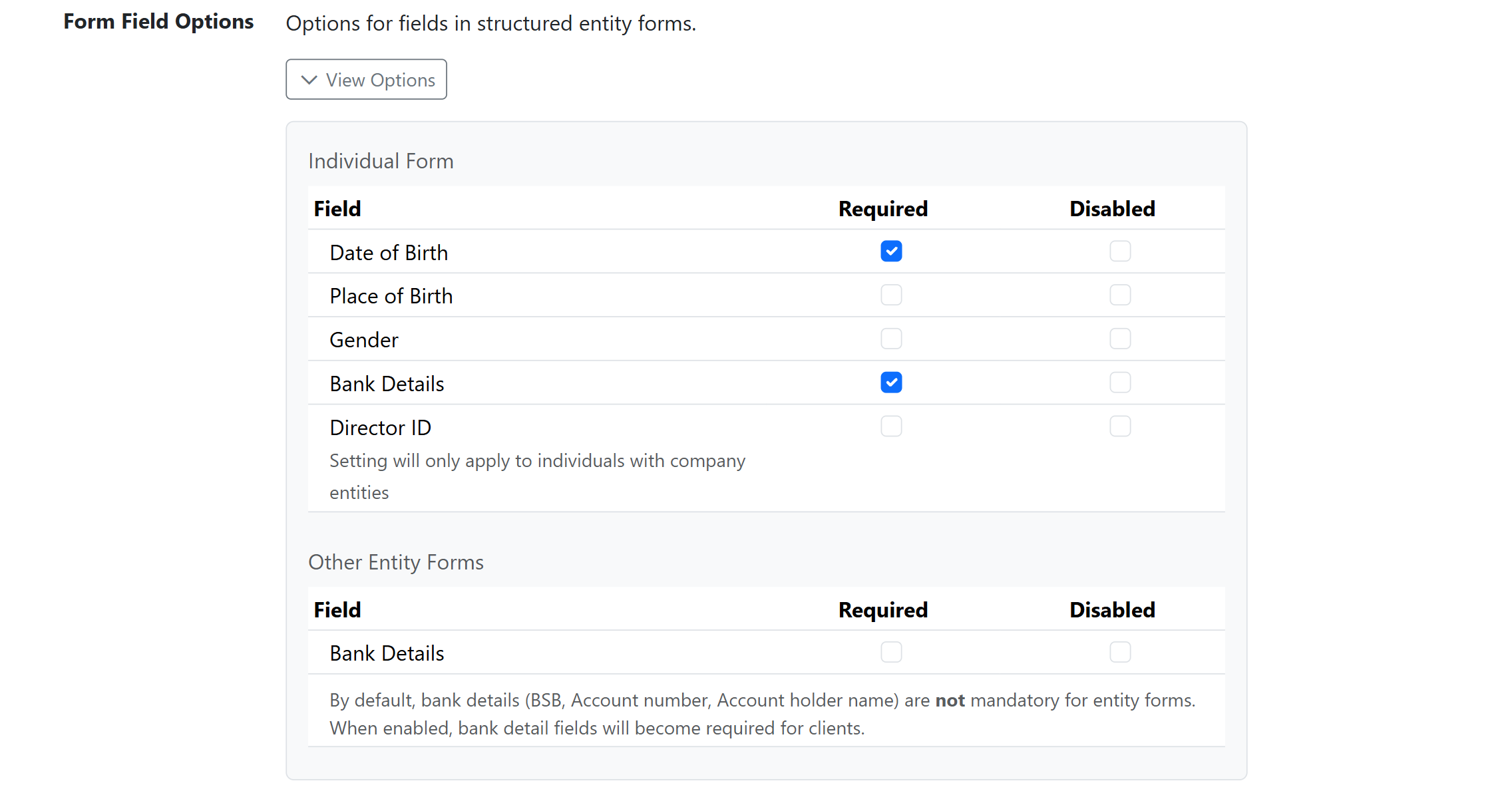
Required means blocking. Every required field is one more thing that can stop a client finishing their form. Require what you need to do the work and leave the rest optional. If your firm wants every detail, mark them all required.
What we recommend #
- Date of Birth: Required. You need it to add the client at the ATO and to verify their identity.
- Bank Details (individuals): Required. You need it, with date of birth, to add the client at the ATO.
- Place of Birth: your choice. Not needed for most work, but ASIC asks for it when you set up a new company. Firms that set up entities often require it.
- Gender: optional. Rarely needed. It can help when you can’t tell from a name.
- Director ID: optional for most firms. It’s only asked when a request includes a company. Most clients don’t have it handy, so requiring it holds up onboarding. Require it if your firm wants it on file.
- Bank Details (other entities): optional. You can usually get an entity’s bank details from the ATO once agent linking is done, or from Xero or QuickBooks.
Seamlss checks that TFNs, BSBs and director IDs are valid as clients enter them, so what you collect is usable. These are starting recommendations. Your firm decides what it collects.
Further down the page #
ITR Options. Which questions your Individual Tax Return form asks. See ITR options.
Identity Verification Options. Disable Stripe Identity option removes the paid DVS check as a choice when building a request, so nobody picks it by accident.
Bookkeepers. Disable TFN hides Tax File Number from every client and dashboard form. For a practice with no reason to hold TFNs, it keeps them out entirely.
Leads. Lead to Client Actions decides what happens to a lead once they onboard as a client: nothing (the default), archived or deleted.


